01 · Tools

MGI HUD X

A market-structure HUD for NinjaTrader 8. It maintains the reference levels a session is organised around, keeps them correct as the session, week and month roll over, and shows what is relevant to where price is now rather than everything at once.

01 · Problem Why it exists

Your screen already holds more than anyone can process

Everything you need is usually already on the chart. The difficulty is that it is on the chart at the same time, in the moment a decision has to be made.

Answering where am I? by reconstruction costs seconds and attention. You scroll back, you re-read the session, you rebuild the levels that mattered, and by the time the answer is assembled the moment that prompted the question has moved. Answering the same question by glance costs neither.

That is the whole proposition. Not more information — the same information, held correct, and placed where it can be read without reconstructing it first.

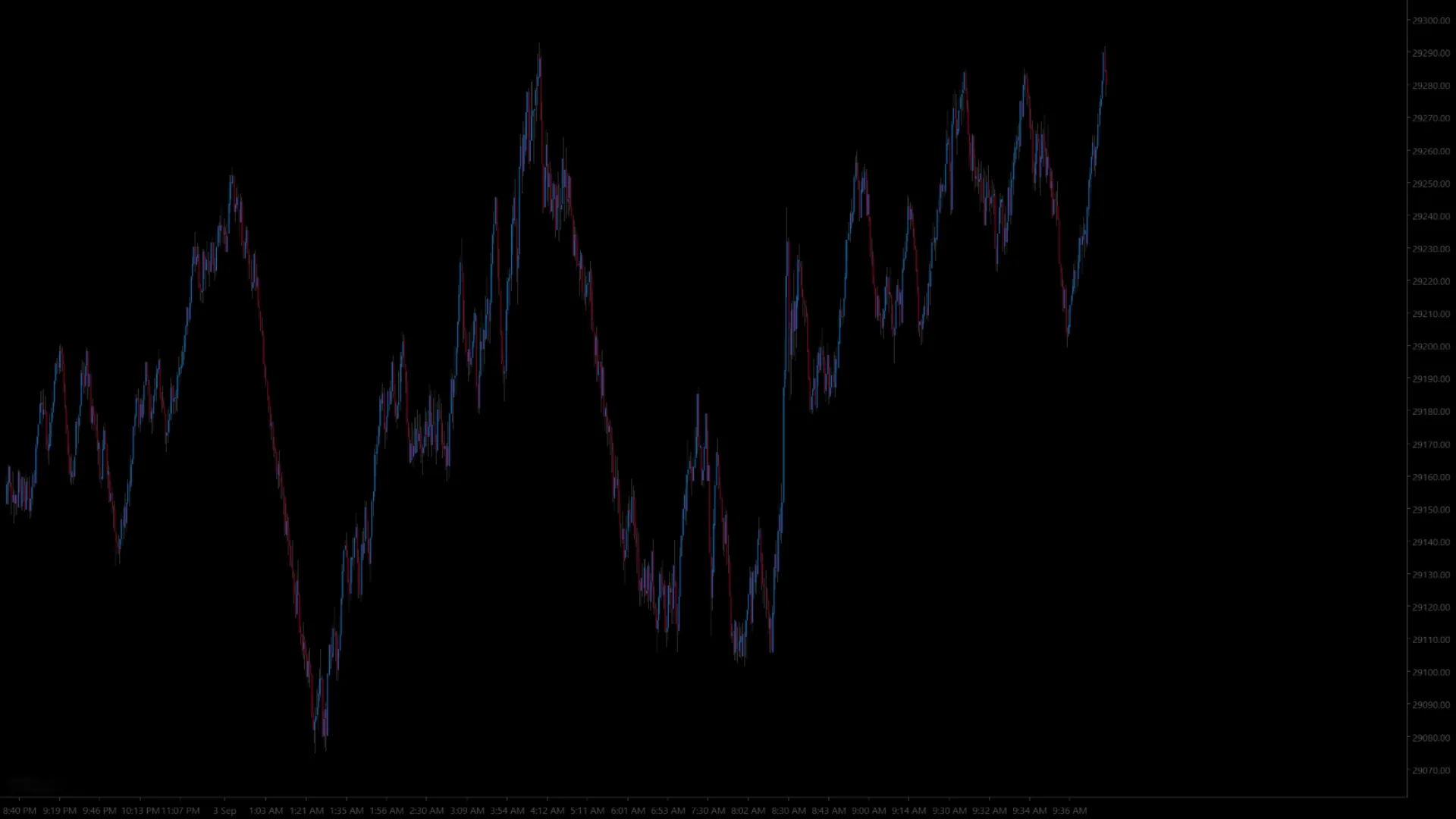
The same chart with no levels drawn on it.
Before. Nothing here tells you where the day’s references are. You know they exist — you rebuild them in your head, every time you look.
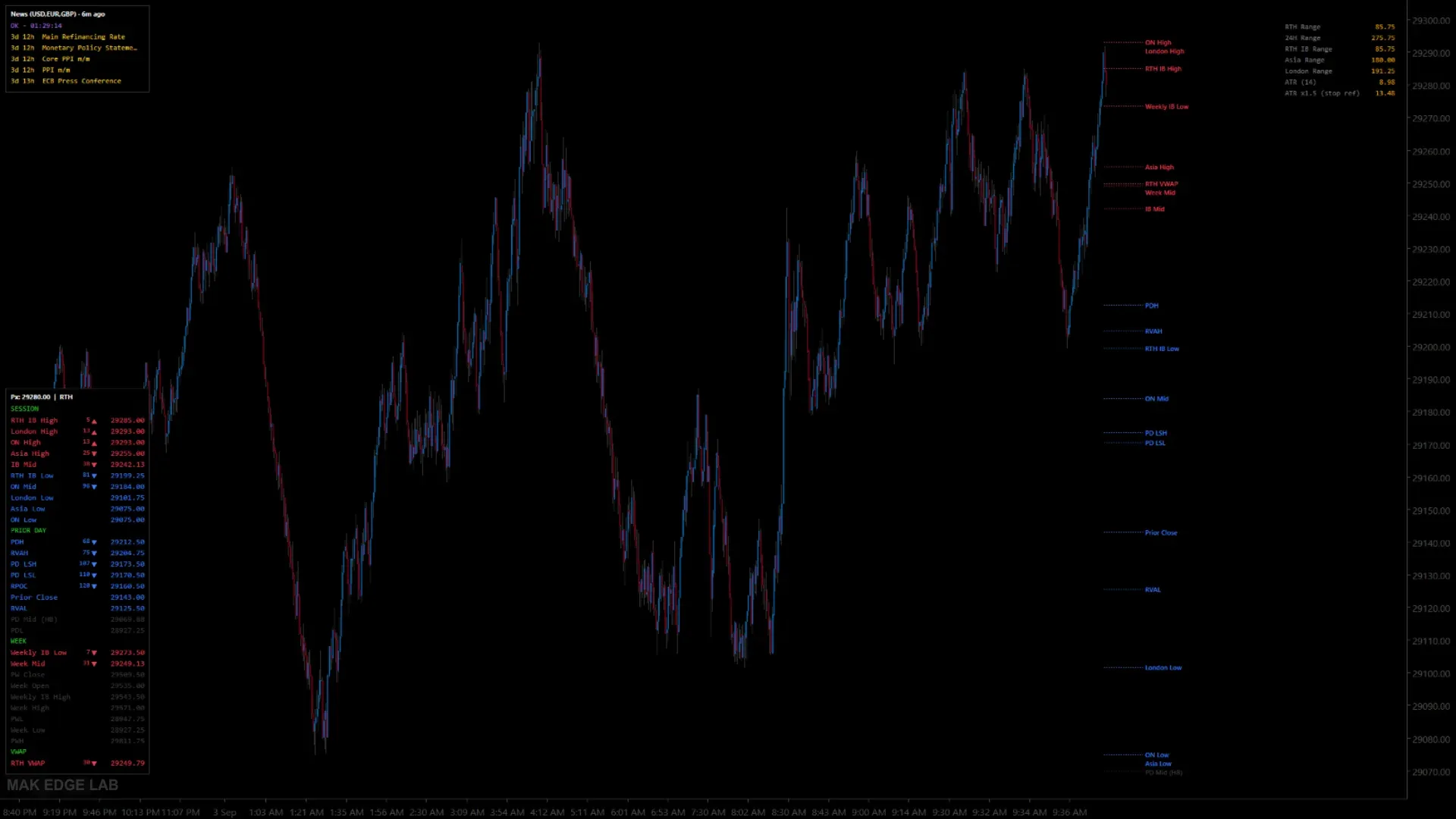
The same chart and the same moment with MGI HUD X running: three panels and the levels tagged at the right edge.
After. The same chart, the same moment. Three HUDs — levels, news and ranges — and every reference tagged where price can reach it.

02 · References What it maintains

Levels that stay correct when the calendar moves

A HUD is only worth screen space if what it shows is still true. The levels a session is organised around change as the session, the week and the month roll over, and a level that was right yesterday is not right today simply because nobody updated it.

MGI HUD X keeps that bookkeeping current. The higher-timeframe structure it tracks is configurable — which references you want held is your decision, not a fixed property of the tool.

What it needs loaded

A period reference can only be held if that period was seen from its start, so what MGI HUD X can show you depends on how far your chart’s history reaches back.

A period still developing
This week, this month. Needs one boundary inside your loaded history: the moment it began.
A period already closed
Last week, last month. Needs two — you have to have seen it begin and end.

In practice that means partial output rather than a blank chart. Session and prior-day references appear as soon as those sessions are in the data; the ones that go missing are the long-horizon ones — last week, last month, and their value areas. Raise Days to load in the chart’s Data Series dialog: to see last-month references you need history reaching back to the start of the month before last, so around 90 days is a safe setting.

One case where more history is not the answer: futures contracts roll. A recently rolled contract may not have ninety days of history, whatever you set Days to load to. On a freshly rolled contract, month-scale references can be genuinely unavailable until the contract has been trading long enough. That is not a fault, and there is no setting that fixes it.

The references it holds

The full registry is 54 fixed references, plus up to eight initial-balance projections, an anchored VWAP and as many levels of your own as you want. Published below is the first group: the ones you see first on the chart. The rest follow.

Overnight high and low

What it is. The highest and lowest price traded during the overnight session.

How it is computed. Tracked across the overnight window as it happens, from the chart’s own price data. The window start is a setting — 18:00 Eastern by default.

When it updates. Continuously while the window is open. Frozen when it closes, and held for the rest of the day.

What it does not tell you. Anything directional. It is the boundary of where trade happened overnight, not a claim that the boundary will hold or break. A trader who reads «price is at the overnight high» as a sell has added a meaning the level does not carry.

Overnight mid

What it is. The midpoint between the overnight high and low.

How it is computed. Pure arithmetic — the two extremes divided by two.

When it updates. With its two parents.

What it does not tell you. That anything traded there, or that it carries any special weight. It is a geometric midpoint, not an observed level. No volume information is involved in it at all.

London and Asia highs and lows

What it is. The same as the overnight pair, for those sessions.

How it is computed, and when it updates. As above, each with its own configurable window.

What it does not tell you. That the session was significant. A quiet Asia session produces a narrow range that looks precise and means very little.

Initial balance high and low

What it is. The range of the first part of the regular session — by default the first sixty minutes after the RTH open.

How it is computed. Tracked from the session open for the configured duration.

When it updates. Frozen the moment that duration elapses. It does not change again for the rest of the day.

What it does not tell you. Anything about the rest of the session. It is a time-boxed observation — here is where the first hour traded — not a claim that the day will stay inside it or break out of it.

Initial balance mid

What it is. The midpoint of the initial balance.

What it does not tell you. Same caveat as the overnight mid: arithmetic, not observed. Nothing necessarily traded there.

Initial balance projections — ±1x to ±4x

What it is. Prices at one, two, three and four multiples of the initial-balance range, above it and below it.

How it is computed. Arithmetic projection: the IB high plus k times the IB range, the IB low minus k times the IB range.

When it updates. Fixed once the initial balance is fixed.

What it does not tell you. Anything that has happened. Nothing traded at these prices. They are extrapolations from a one-hour range — a way of asking how far today has moved relative to its own first hour. They are not support, they are not resistance, and they are not targets.

Asia and London initial balance

What it is. The same construction for those sessions, each with its own duration.

What it does not tell you. The same as the RTH initial balance: it describes the opening stretch of that session and nothing beyond it.

How state is shown

This applies to every reference above. Each one is coloured by whether price has not yet reached it, has touched it, or has traded through it. That is an observation of what has already happened, not a prediction — and specifically, a level marked as broken is a statement about the past, not a forecast that price will keep going.

The rest of the registry is still being written. Published above is the first group; prior day, week, month and the VWAP family follow. Each one gets the same four answers, and the fourth — what it does not tell you — is the one that usually goes missing elsewhere. Until the rest is up, ask by email and the answer you get is the one that ends up in the documentation.

03 · Relevance What it shows, and when

What matters where price is now, not everything at once

A chart with every level drawn on it is not more informative than a chart with none. Both require the same work: deciding which of them applies right now. A display that shows everything has moved that work onto you and called it a feature.

The HUD shows what is relevant to where price is now. The rest stays out of the way until it is not. What you gain is not knowledge you did not have — it is the attention you were spending to reach it.

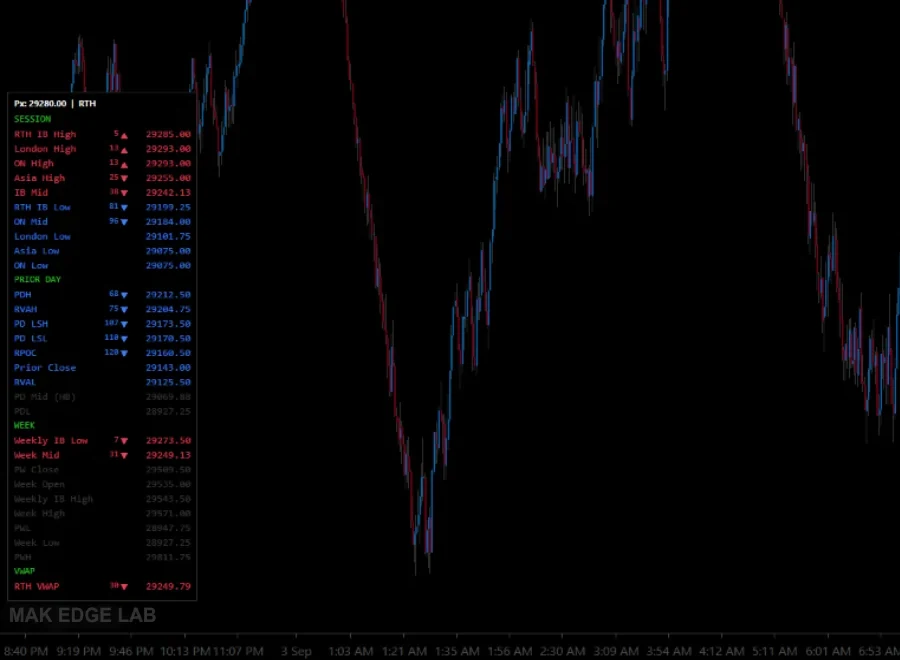
Close view of the levels panel: each reference with its price, its distance from the current price and an arrow for the side it is on, grouped by session, prior day, week and VWAP.
The levels HUD, close up. Every reference carries its distance from price and which side it is on, grouped by session, prior day, week and VWAP — and ordered by proximity, nearest at the top of each group. What is far away is greyed out rather than removed: still there, not asking for attention.

04 · Advance Why consistency matters

A commitment made in advance, not a line drawn in the moment

The levels are computed identically every session. That sounds like a technical detail and it is not: it is the difference between a reference and an opinion.

A level you draw while in a position is contaminated by the position. A level computed the same way every day, before you knew what today would look like, is a commitment you made in advance. When price reaches it, you are reading something that was decided when you had nothing at stake.

Consistency is also what makes a record worth keeping. If the levels move to fit what price did, reviewing your own trades tells you nothing — every decision looks reasonable in hindsight against a level that was adjusted to it.

05 · Limits What it does not do

Reading the market faster does not make you right about it

The HUD removes the reconstruction work. It does not remove the decision, and it has no opinion about what you should do when price arrives somewhere.

What it does not do

  • No entry or exit signals. You decide.
  • No probability or confidence percentages on market outcomes.
  • No black box. Every calculation is documented for the trader who owns it.
  • No auto-trading. It places no orders.

How value area and point of control are computed

Value area and point of control are computed by MGI HUD X itself, from the chart’s own data. It builds a fine-grained internal series — thirty seconds per bar by default, and adjustable — and distributes each interval’s volume across the prices that interval covered. What you are reading is a reconstruction of where volume concentrated, not a trade-by-trade record from the exchange.

That distinction matters because most profiles are assumed to be the other thing: every transaction booked at the exact price it happened. This is not that. Within any one interval the tool does not know where inside the range the volume traded, so it assumes it was spread evenly. The result is consistent — the same data always produces the same answer — but it will not match another tool tick for tick, and it is not an official figure.

Where the difference matters
Comparing against another vendor’s profile, or against an exchange-published value area. They will differ, and that is expected rather than a defect. And any decision that depends on the point of control being exact to the tick.
Where it does not
Reading structure: whether price is inside or outside value, roughly where volume built, whether today is accepting or rejecting yesterday’s area. At that resolution the approximation is stable and reproducible.

One consequence worth stating plainly: volume-based references need real volume. On a thin instrument the distribution is noise rather than structure. That is part of why this is built for futures rather than for anything that can be put on a chart.

It also does not know your method, your account or your risk — and a level means different things to two traders standing in different positions in front of it. See what we deliberately do not do for why that is a decision rather than a gap.

Platform
NinjaTrader 8
Name in NinjaTrader
MGI_HUD_X
Instruments
Futures
References
Higher-timeframe structure, configurable
Status
Available · in daily use
A run on a live chart: the HUDs being moved, hidden and shown, and the panel re-ordering itself as price moves. No sound — nothing in it depends on a voice you would have to understand.

Before you install it

Setup takes a few minutes and the first chart is the one that tells you whether this fits how you already work. If something is unclear, ask — questions about how a level is computed are always welcome; questions about what to do in a position are not ones we answer.